Score, pillars and findings
The score hero and its coverage, the pillar grid and weights, and the finding card with its severity, evidence, fix snippet and provenance tags.
The overall score and coverage
The first thing the eye meets in the report is the score hero: a large ring holding the overall score out of 100 and the grade as a letter (A+ from 95 · A from 85 · B from 70 · C from 55 · D from 40), with context cards beside it: methodology coverage, pillars not measured, audit moment, engine version and domain.
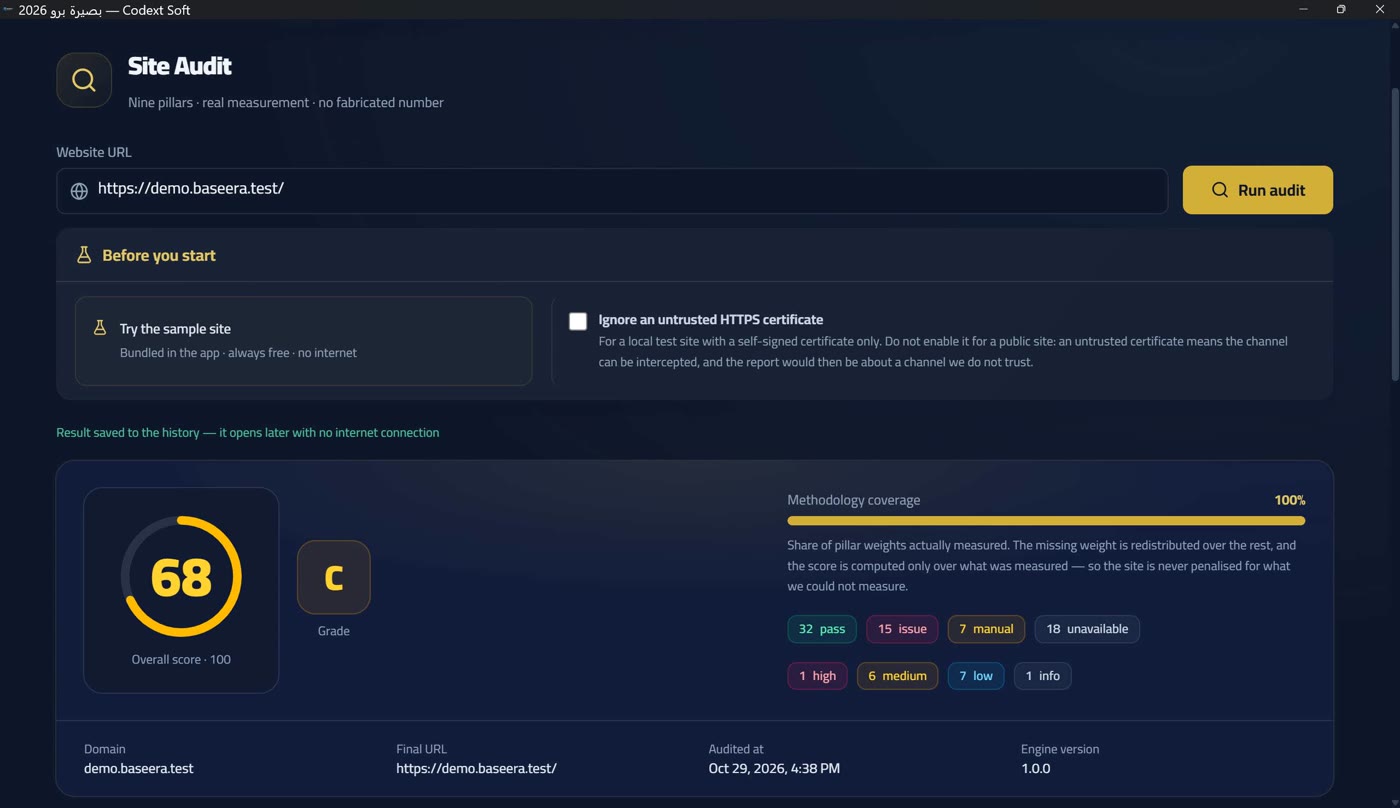
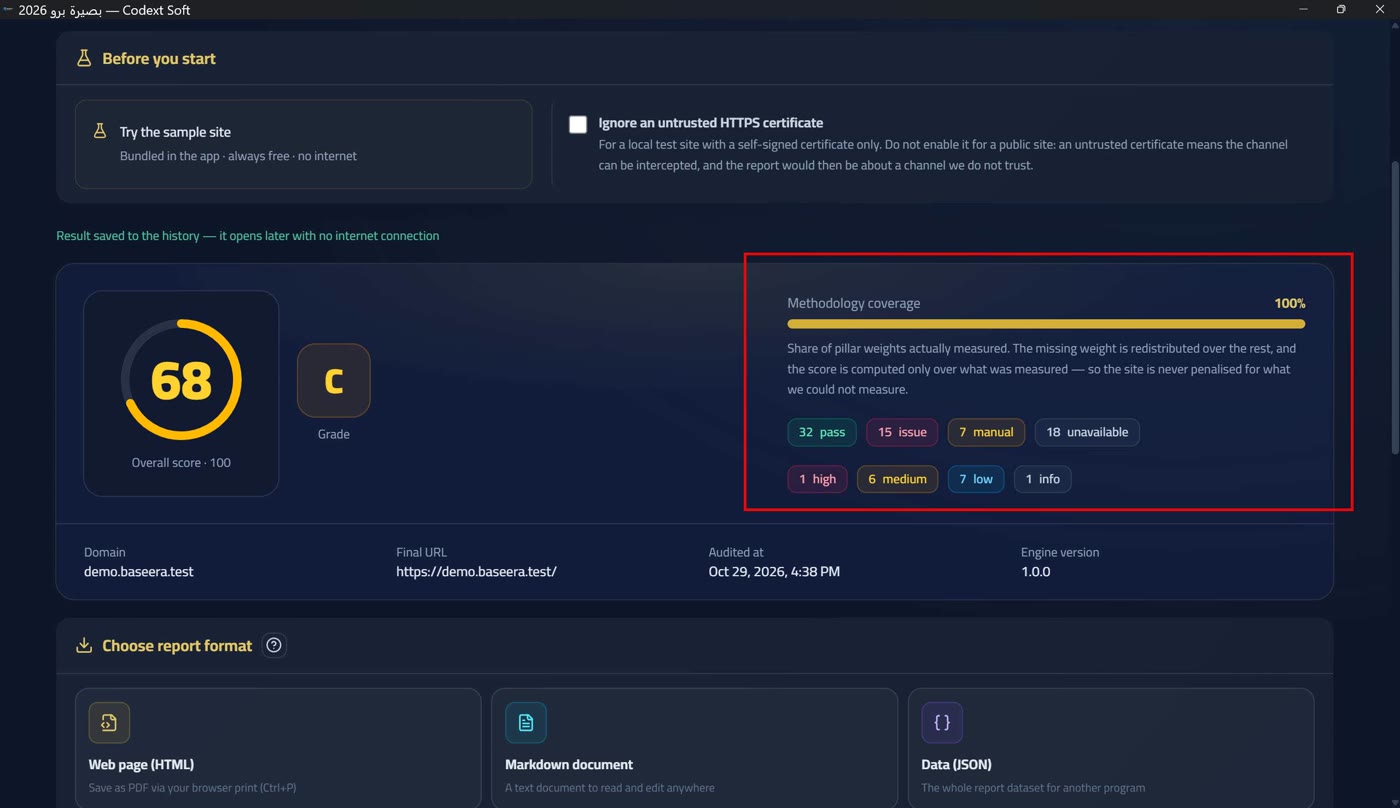
Methodology coverage is the share of pillar weights actually measured, and its tooltip states the whole rule: «The share of pillar weights actually measured. What is missing is redistributed over the rest, and the score is computed on what was measured only — so the site is never wronged by what we did not measure». The overall score is a weighted average over the measurable pillars only, reported with its coverage share — a site whose measured weight is half is not given a score for the other half.
And when the score was not measured — because the source was never analysed at all (Source state and partial reports) — a «—» appears, not a zero. A zero standing in for the unknown is a lie; the dash is an honest statement that something here was not measured. The same rule holds everywhere: an unavailable value is never replaced with zero, and it is written into the report's executive footer: «Every number here is actually measured or source-tagged; an unavailable value is never replaced with zero».
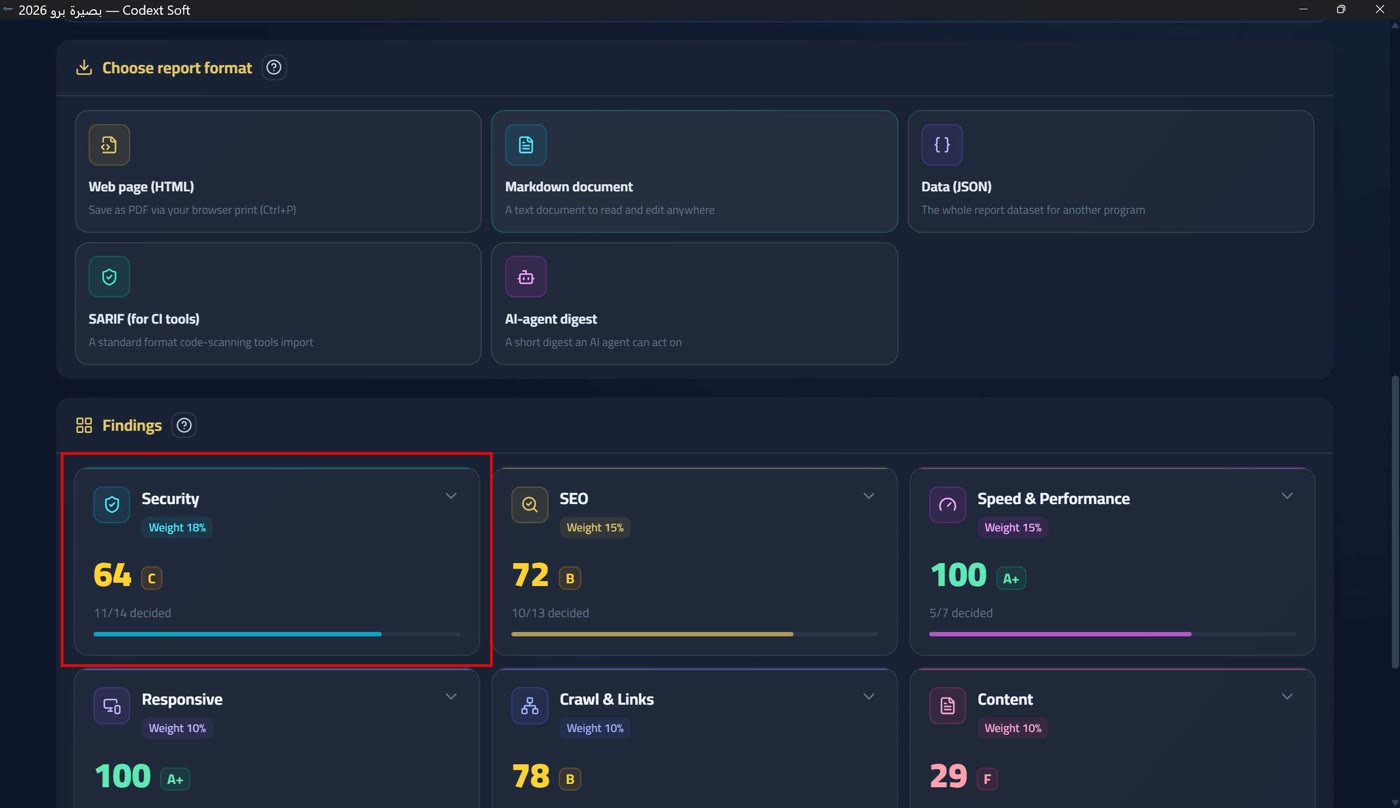
The pillar grid and weights
Under the score hero sits the «Findings» section, with a «help for this section» button beside its title that opens this page. It holds the nine-pillar grid: each pillar has a card carrying its name, weight and state — «scored» or «not measured». The weights are fixed and sum to exactly 100, and they measure the cost of a defect, not its marketing importance — the generated table at the bottom of this page lists the pillars, their weights and «why it matters to you» for each, in non-technical language.
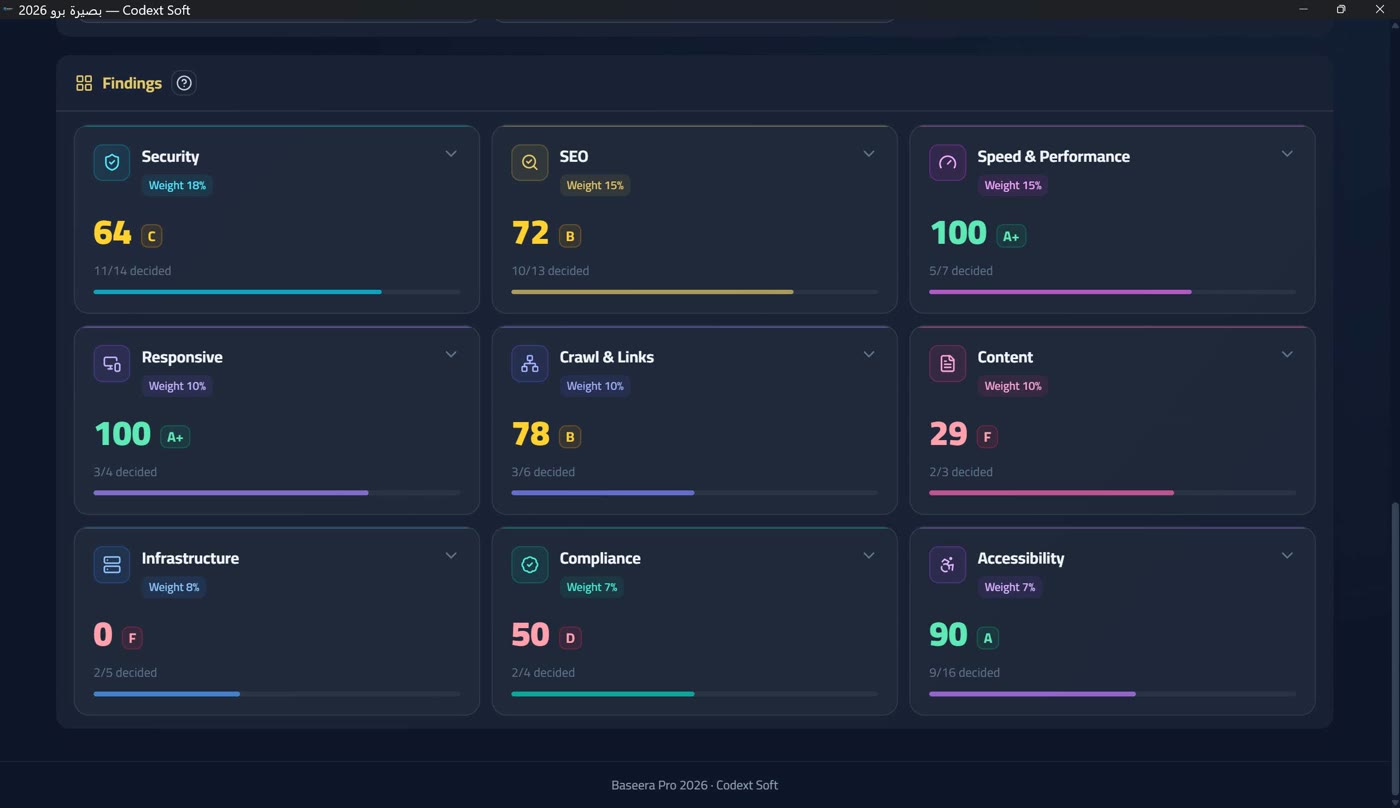
Each pillar scores out of 100: what was earned out of what could have been earned across the checks that actually applied to this site — a rule that does not apply is not counted (a site with no images is not penalised for missing image text). A pillar that was not measured is written «not measured» and never drawn as zero; this happens when the engine honestly cannot measure it — a cancelled crawl (While auditing: the polite crawl and cancelling it), or a source that was never analysed.
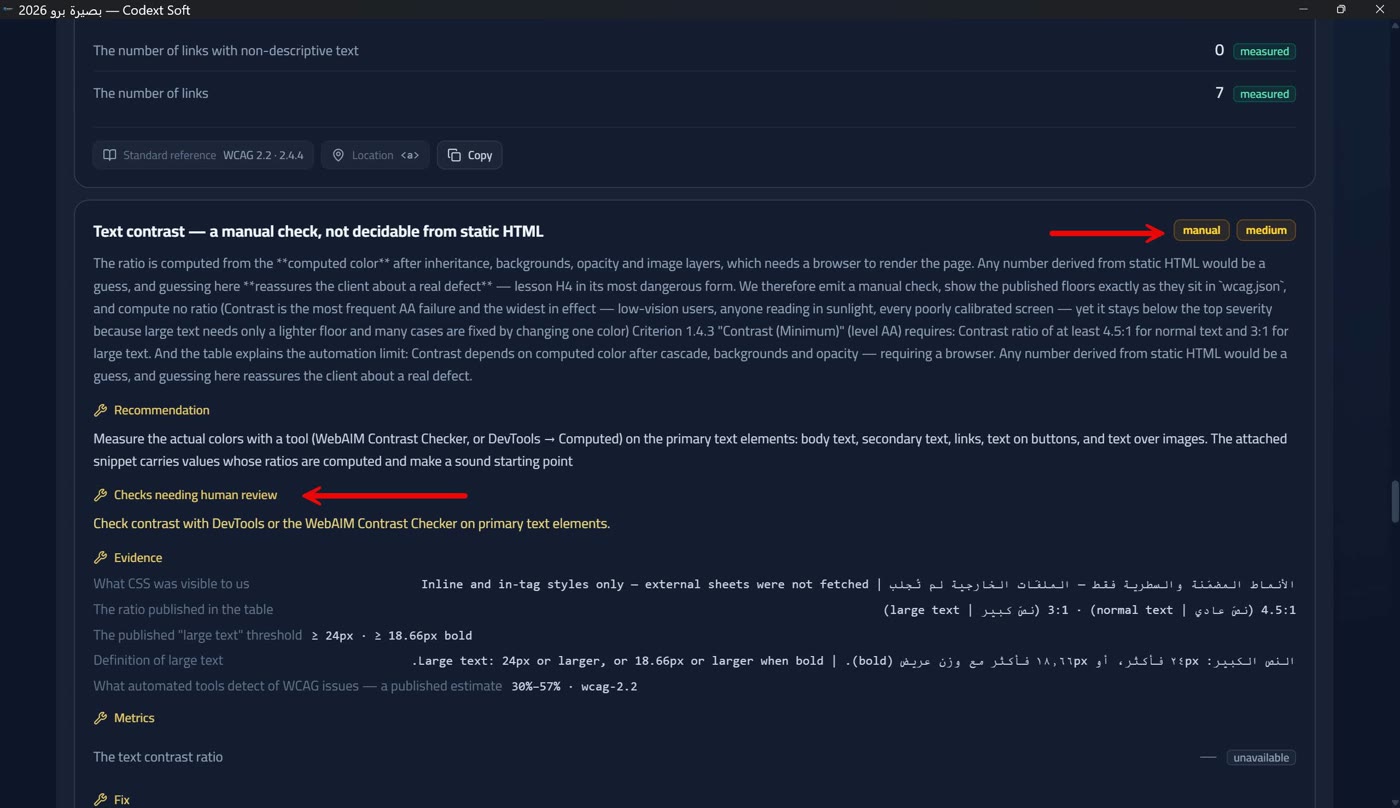
Below the grid, the section «checks that need human verification» says it plainly: «These checks are not settled by automation from static HTML and do not enter the score — they are left for you to verify yourself». They are five accessibility rules that cannot be settled automatically.
A single finding: severity and evidence
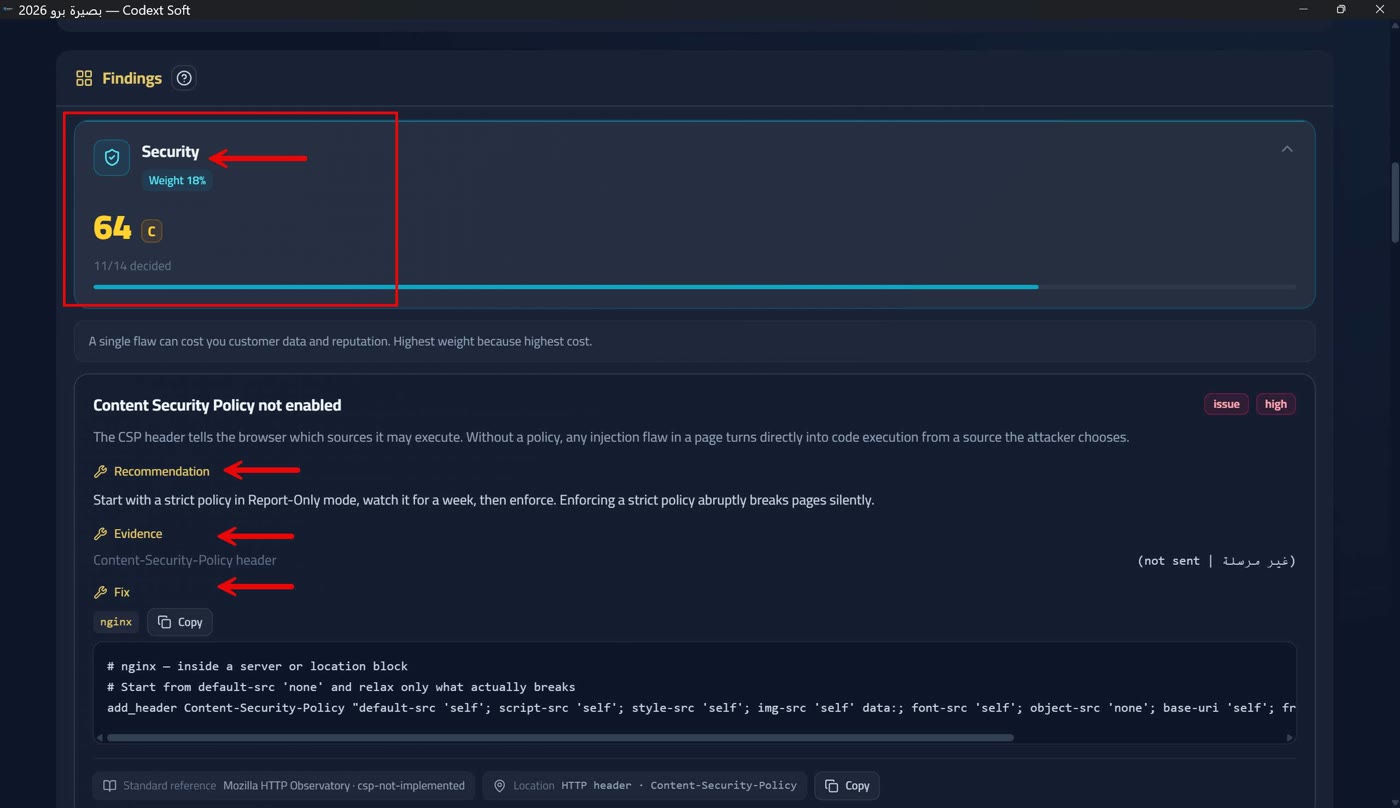
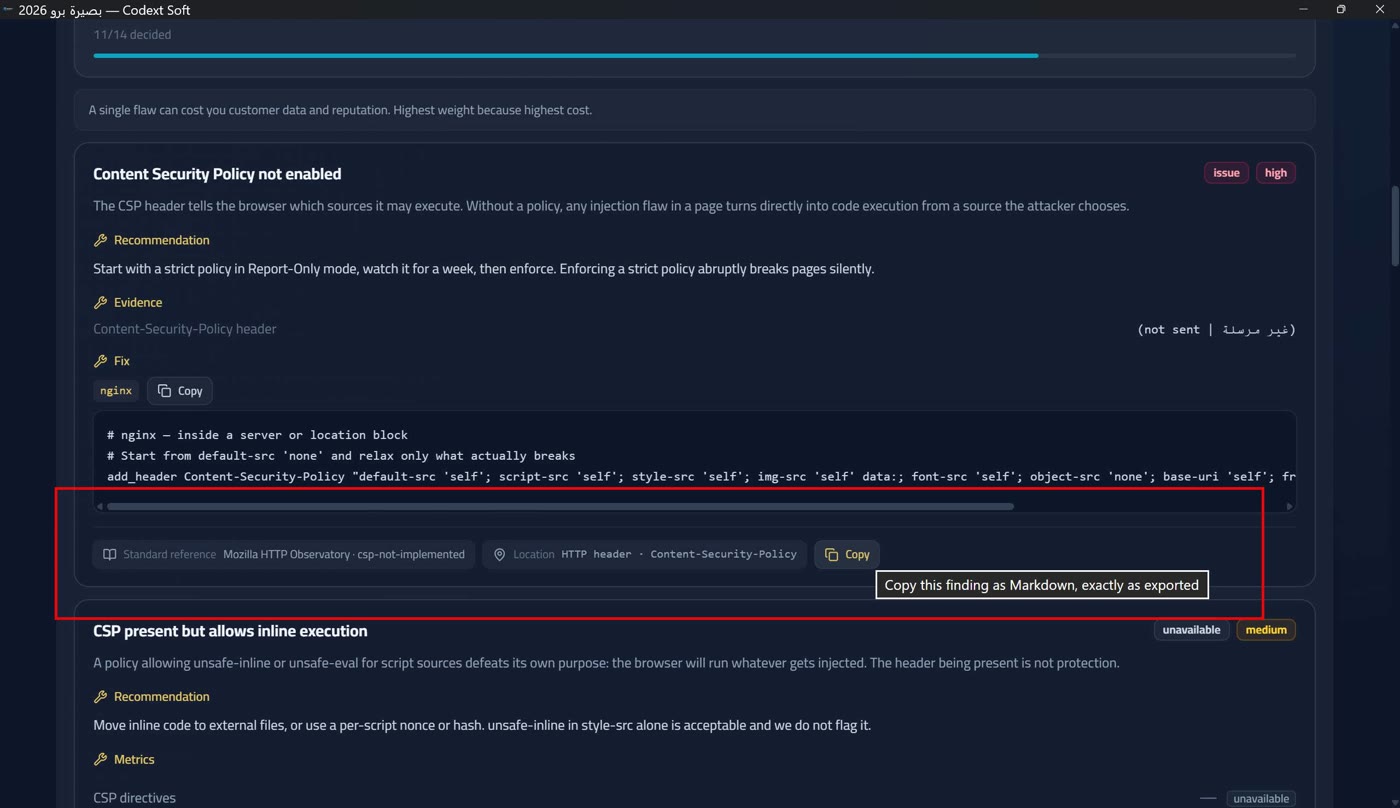
Every violation or observation is drawn as a finding card: a title (free text that arrives from the engine in both languages), a severity tag, the pillar name, then the sections: recommendation, evidence with its measured values rather than adjectives, numbers, location (a selector and a line number when known), standard reference, and an «automatically fixable» tag when it has a fix snippet.
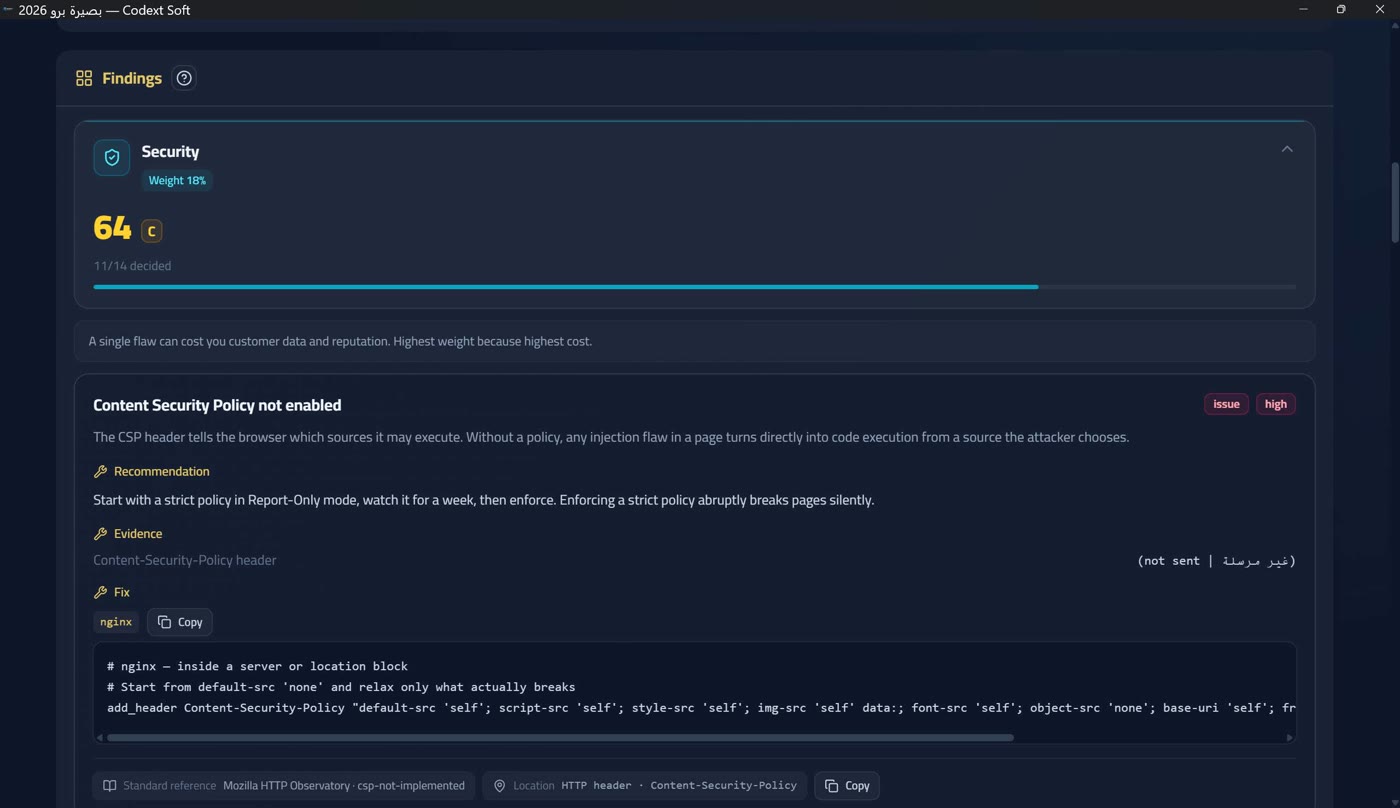
The severity scale has 4 levels with deliberate point weights: high (10 points), medium (5), low (2) and info (1). The ratios are intentional: «high» is twice «medium» and five times «low», and one high violation must cost more than ten «info» ones. There is no «critical» in this app — what deserves that word is classified high and its impact is spelled out in the text.
Check statuses are four, shown as coloured tags: «pass», «violation», «human check» and «unavailable» — the last is not a failure but a statement that the rule was not settled. Beside severity each pillar carries a status count: how many findings passed, how many failed and how many could not be measured, because a bare total says nothing without its distribution.
The fix snippet and the copy button
The fix snippet is the cure: steps and code to copy as written. In the demo tier it is locked for high-severity findings only — the diagnosis is fully free and the cure is the product: «The title, count, score and evidence are all visible for free; the step-by-step fix is part of the licensed tier — activate to unlock it» (Two tiers and a badge — no time trial). Medium, low and info snippets stay open so the report's value is visible before purchase, and on the embedded sample site nothing is locked at all (The embedded sample site).
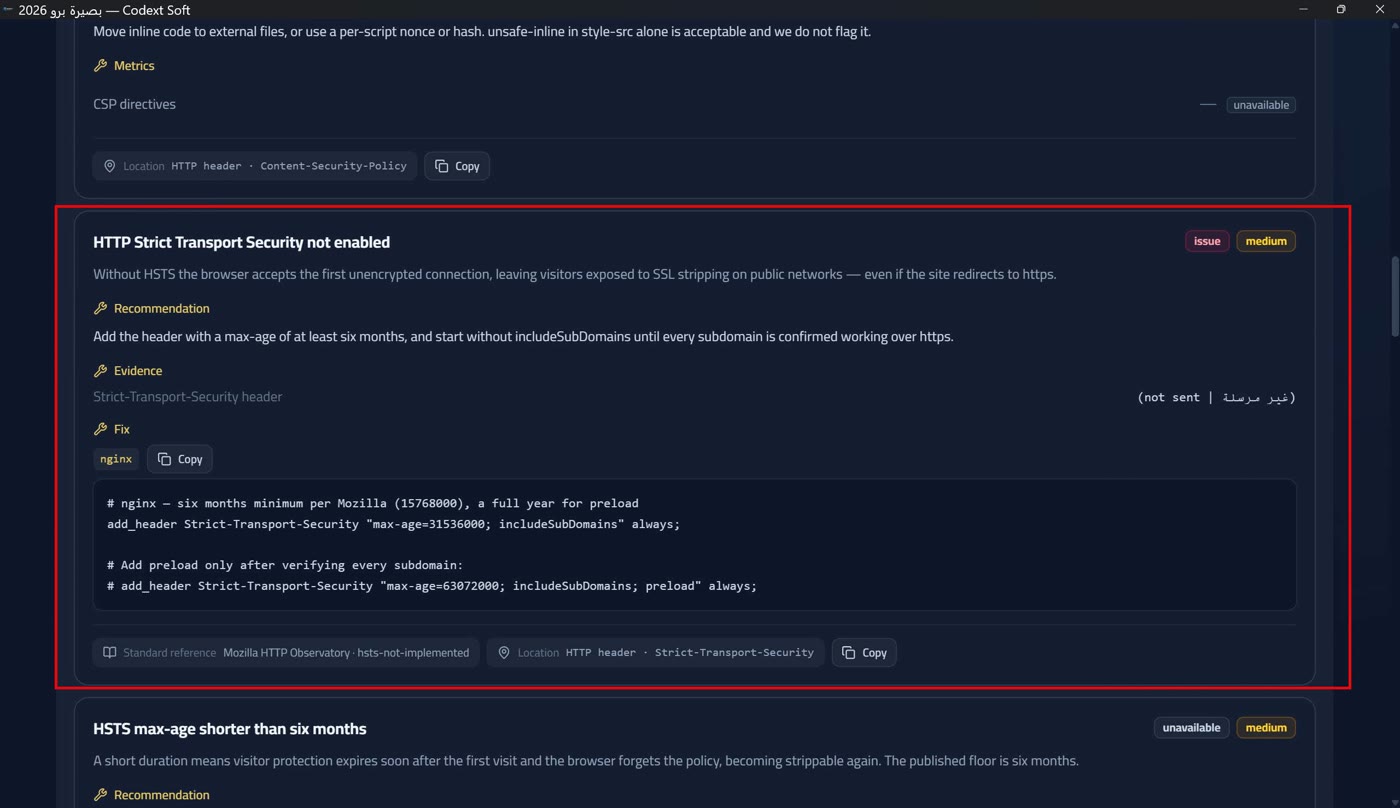
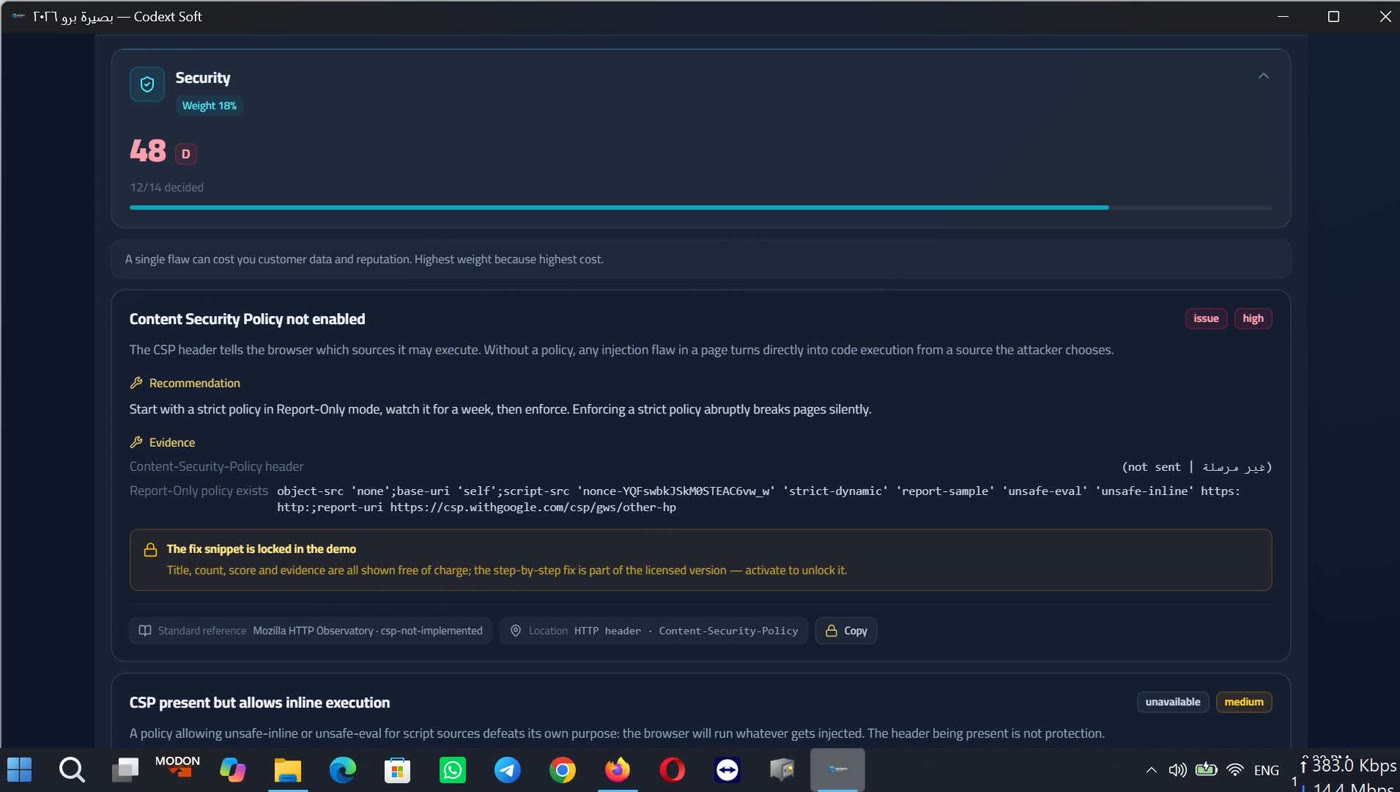
The redaction happens when the result is produced, not when it is drawn, so no snippet can leak through an export or a clipboard copy.
The copy button sits in every card, and its tooltip says exactly what it copies: «Copy this finding as Markdown, exactly as exported in the report» and «Copy the fix snippet as written». Success is announced — «Copied» — and so is failure: «Not written to the clipboard — copy manually». It is locked on the important blocks in the demo tier on a real target, for the same reason export is locked (Export in five formats and its locks).
Where each number comes from
The provenance tag sits beside every number: «measured» — fetched from the site during this audit; «estimated» — computed from measured facts by a written rule, with its reason (such as inferring a size from a body length); or «unavailable» — the thing to measure never happened. No estimated number is printed without its tag: an untagged number reads as a measurement, and that is the most expensive thing a report can lose. Anything attributed to an external standard is attributed to the standard file shipped with the app, not to an author's memory.
The certificate card
From the single TLS handshake that already happened, every certificate fact is read: the serial number, the signature algorithm, the public-key algorithm and its length, the SHA‑256 fingerprint, and the certificate chain with a «self-issued» flag per link. No extra request and no WHOIS lookup behind it.
The fingerprint is printed in upper case with zero padding and colon separators — the same format browsers show — so you can compare it by eye. Algorithm identifiers are printed in dotted form as returned (1.2.840.113549.1.1.11) with no friendly name invented, because a name from an author's memory may not match what the server returned.
Pillar table and weights
| Pillar | Weight | Why it matters to you |
|---|---|---|
| Security | 18% | A single flaw can cost you customer data and reputation. Highest weight because highest cost. |
| SEO | 15% | Decides whether visitors find you at all. An excellent invisible site is commercially nonexistent. |
| Speed & Performance | 15% | Every lost second costs conversions. Speed has been an official Google ranking factor since 2021. |
| Responsive | 10% | Most of your traffic is mobile. A site unreadable on a small screen loses over half its audience. |
| Crawl & Links | 10% | Broken links shape lasting first impressions. Orphan pages are never reached by search engines. |
| Content | 10% | Thin content gets classified and ignored. Quality is what turns a visitor into a customer. |
| Infrastructure | 8% | Server protocols, versions and caching: invisible foundations whose absence slows everything above. |
| Compliance | 7% | Privacy, cookies and published policies are legal obligations, not technical preferences. |
| Accessibility | 7% | Users with disabilities are part of your market, and accessibility is a growing legal requirement. |