Licensing, activation and the quota
Two tiers only — demo and licensed — and no time trial: the quota is a count of audits, not days. Every declared lock shows its banner, and one window opens them all.
Two tiers and a badge — no time trial
Two tiers only: demo and licensed. And no time trial — the quota is a count of full audits (3) per Windows user, not days, and the perpetual licence has no expiry date.
The licence badge sits in the top bar on every screen: amber «demo» with the tooltip «some professional features are locked — activate the licence to open them», or green «licensed» with «all features are open — thank you for licensing Baseera Pro». The tooltip carries the quota counter: «full audits remaining» with the ratio (like 2/3) — the number is read from the licence state, not written into the text, and at exhaustion the badge turns to «quota exhausted» with the tooltip «the available demo audits are consumed — activate the licence to continue. The embedded sample site remains available without limit» (The demo quota and running out).
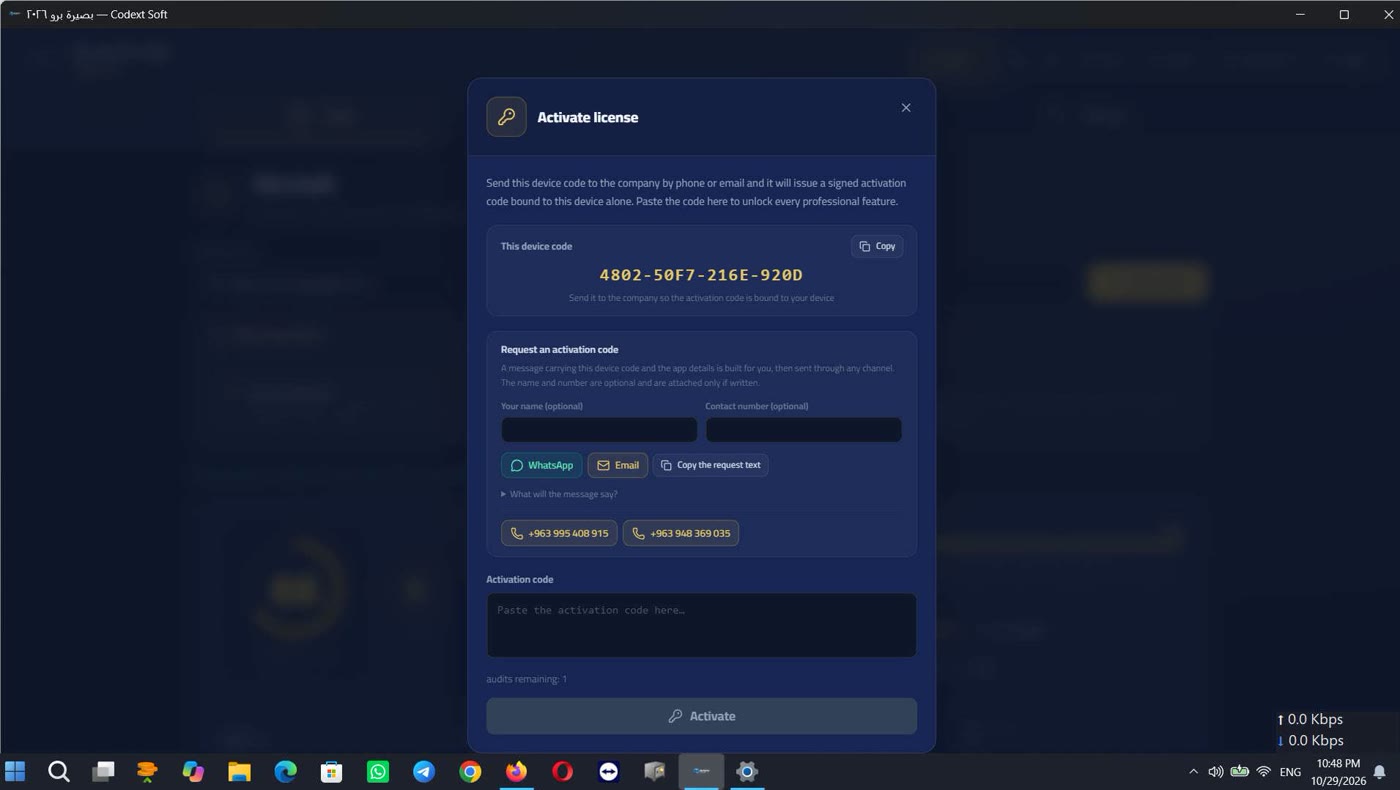
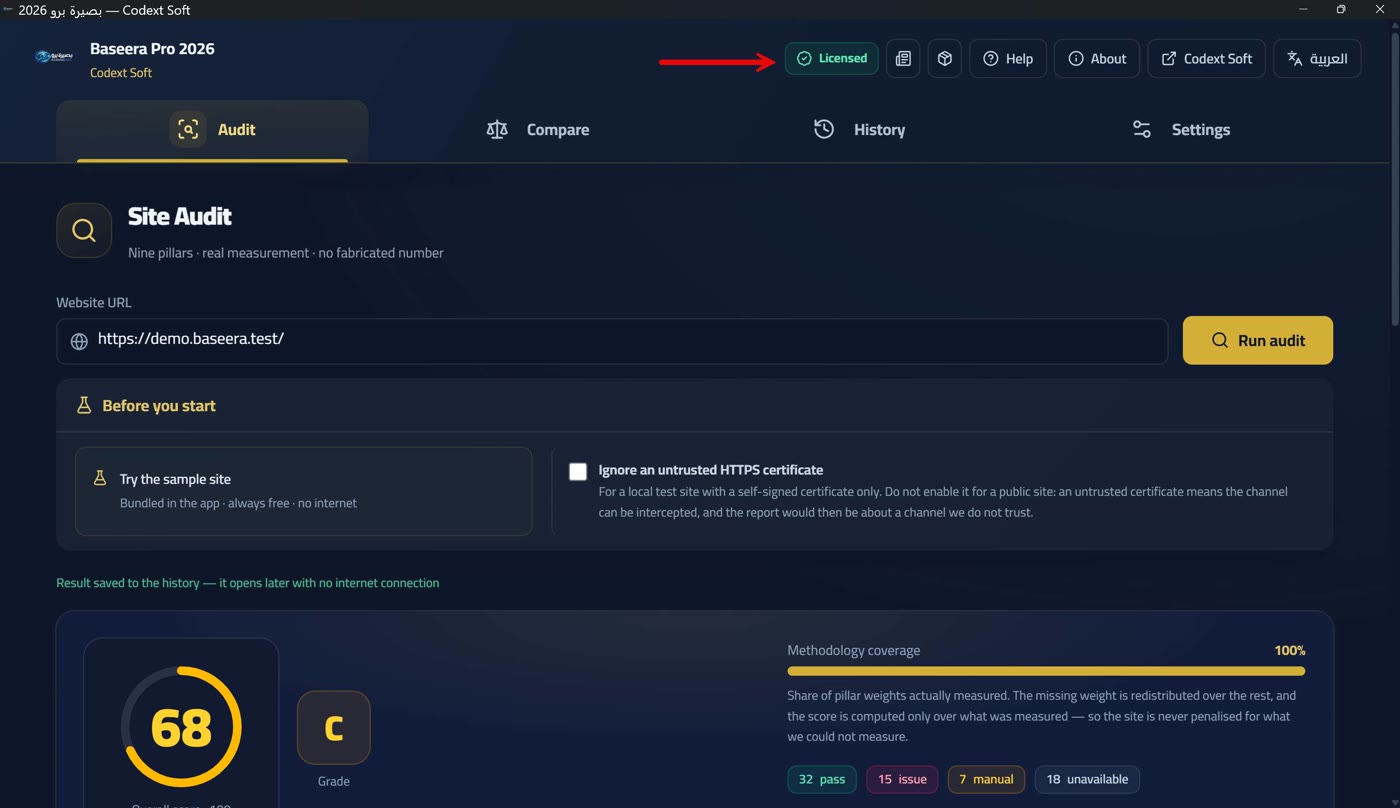
And the badge is clickable, opening the activation window — which is the way to open every declared lock in the app: professional export, high-severity fix snippets, comparison, and the crawl ceiling. No lock opens from anywhere else, and no lock lacks a way out.
The licence is a signature, not a connection: the code is an Ed25519 signature bound to your device, and only the public key ships inside the app — so verification runs locally without a network, and unpacking the app cannot produce codes because the private key is not in it. A dated licence ends when its date passes and the tier returns to «demo» automatically — and the effective date is the maximum of the system date and the latest date the app has seen, so turning the clock back cannot revive an expired licence.
Requesting an activation code
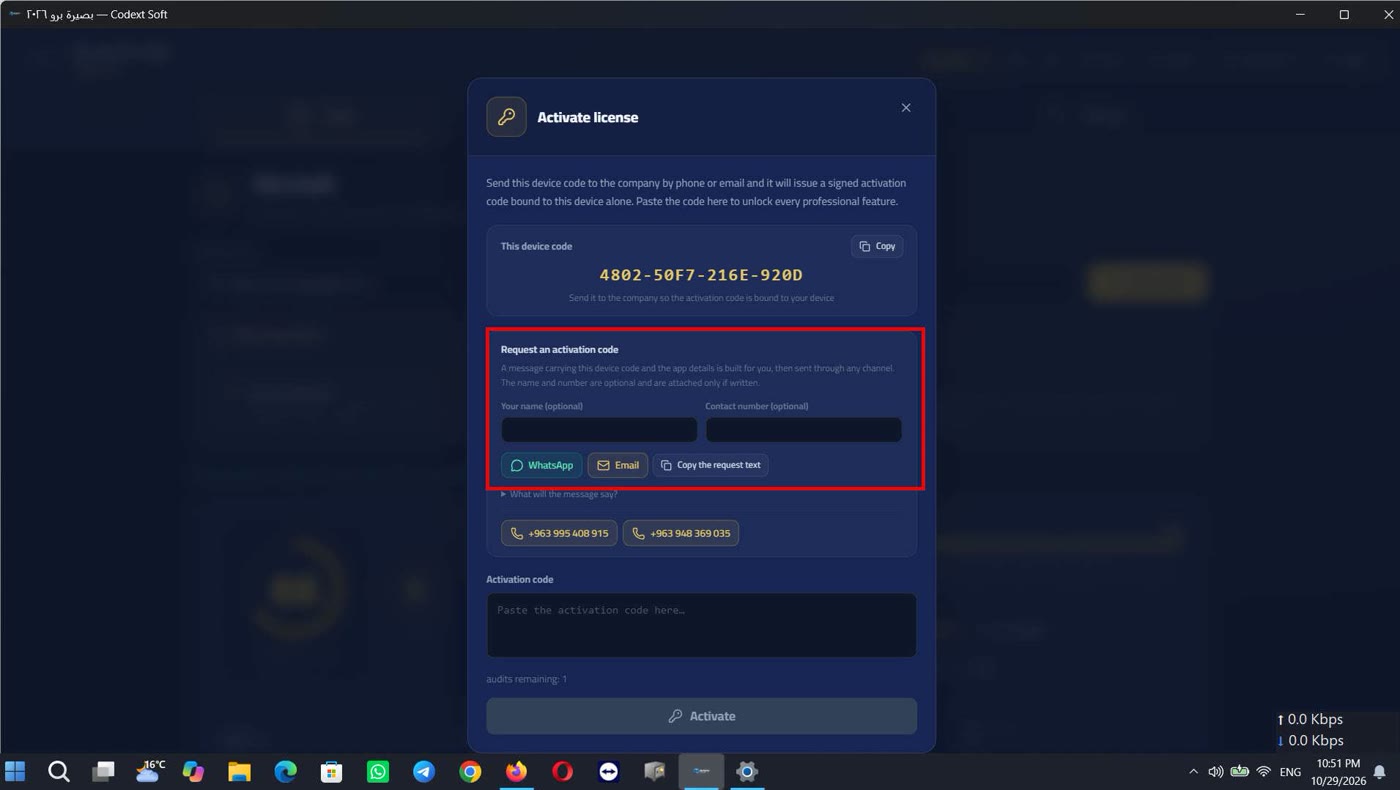
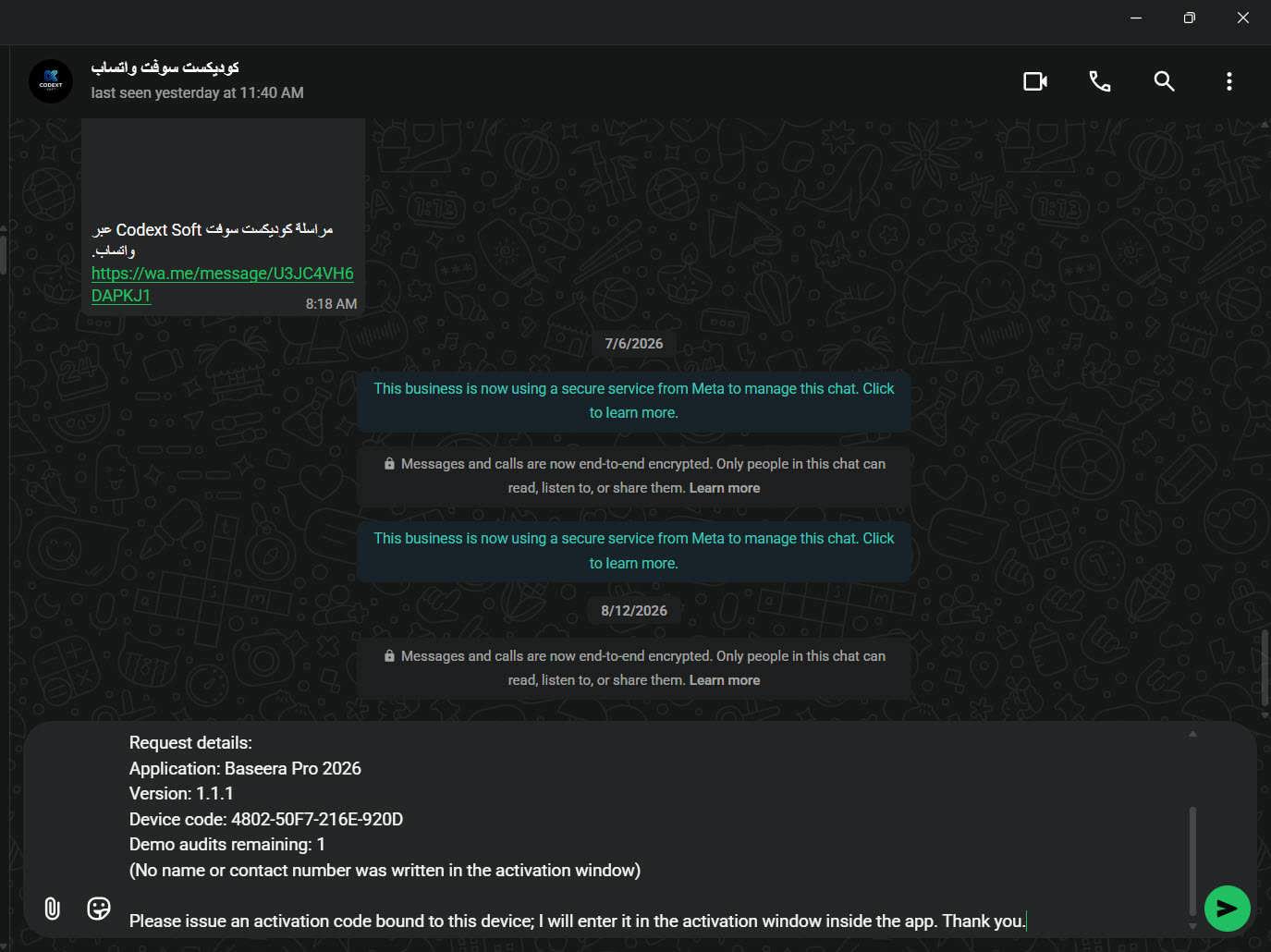
Inside the window is the «request an activation code» section: «a message is built for you carrying this device's code and the app's details, and you send it through any channel. The name and phone number are optional and are attached if written». Two optional fields (your name, and a contact number) and three buttons: WhatsApp, email, and copy the request text. And a button shows a preview: «what will the sent message say?».
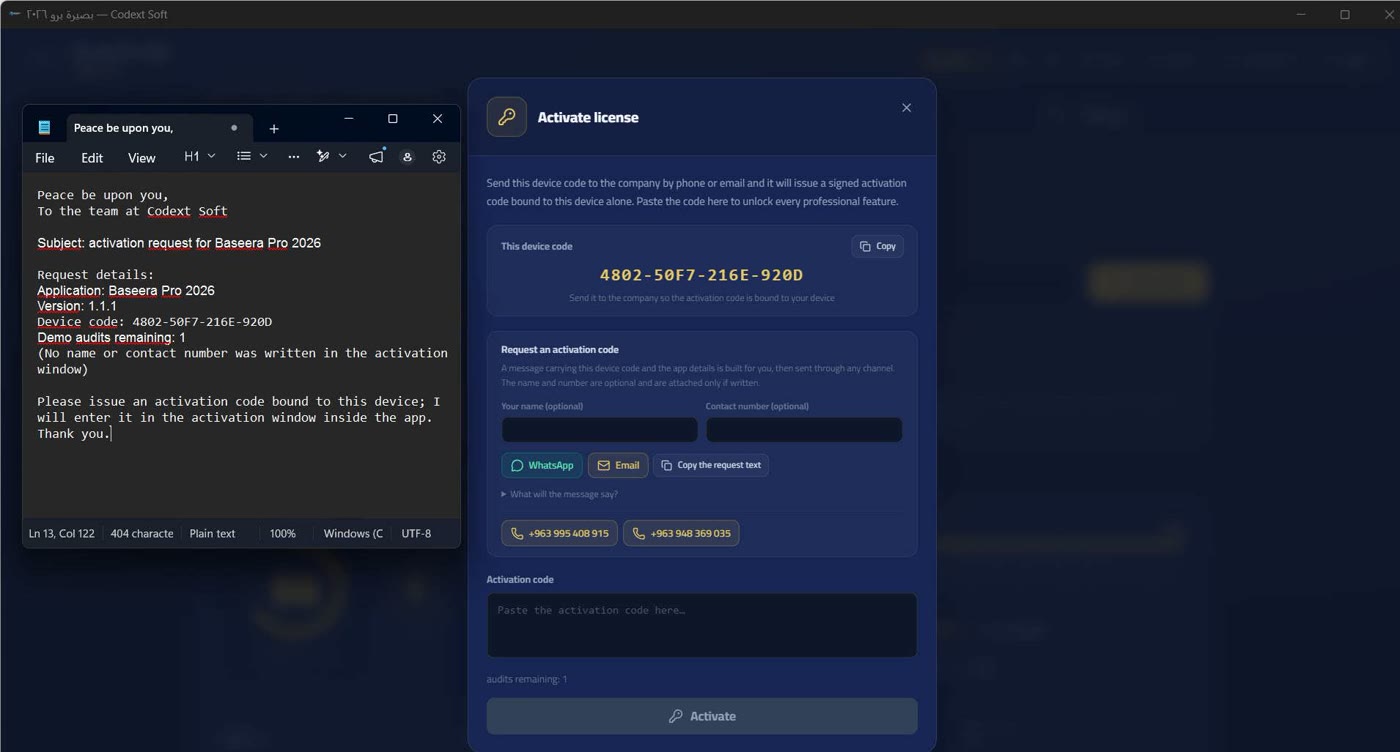
The message is built from segments, not from templates, so no name-slot and no code-slot ever survives empty. It carries: the greeting, the company name, the subject, the app, the version, the device code, the remaining demo audits, the name and contact number if written (otherwise «(no name or contact number was written in the activation window)»), and the closing sentence requesting a code bound to this device.
The WhatsApp channel opens a conversation with the company's number with a pre-built message via api.whatsapp.com/send — not wa.me?text=, because the latter drops the built text in some versions. If the open fails the notice is explicit: «could not open WhatsApp automatically. Copy the request text above and send it to the company's WhatsApp, or use email» — with the company email info@codextsoft.com. And the third channel (copy the request text) always works without a network: it is the floor below which the request cannot fall.
Entering the code and its ten errors
The code is pasted into the field and «activate» is pressed; «verifying the signature…» appears — the Ed25519 signature check runs in the core, and the interface holds no key and trusts no text. On success: «activation complete — all professional features are open», and the badge turns green (Two tiers and a badge — no time trial).
Ten errors are possible, each with an explicit sentence, never a technical code: LICENSE_MALFORMED — «the code is not in the format of a valid activation code». LICENSE_BAD_SIGNATURE — «the code's signature is invalid — the company did not issue it». LICENSE_WRONG_DEVICE — «this code was issued for another device, not this one». LICENSE_UNKNOWN_TIER — «the licence tier inside the code is unknown». LICENSE_INVALID_DATE — «an invalid date inside the code».
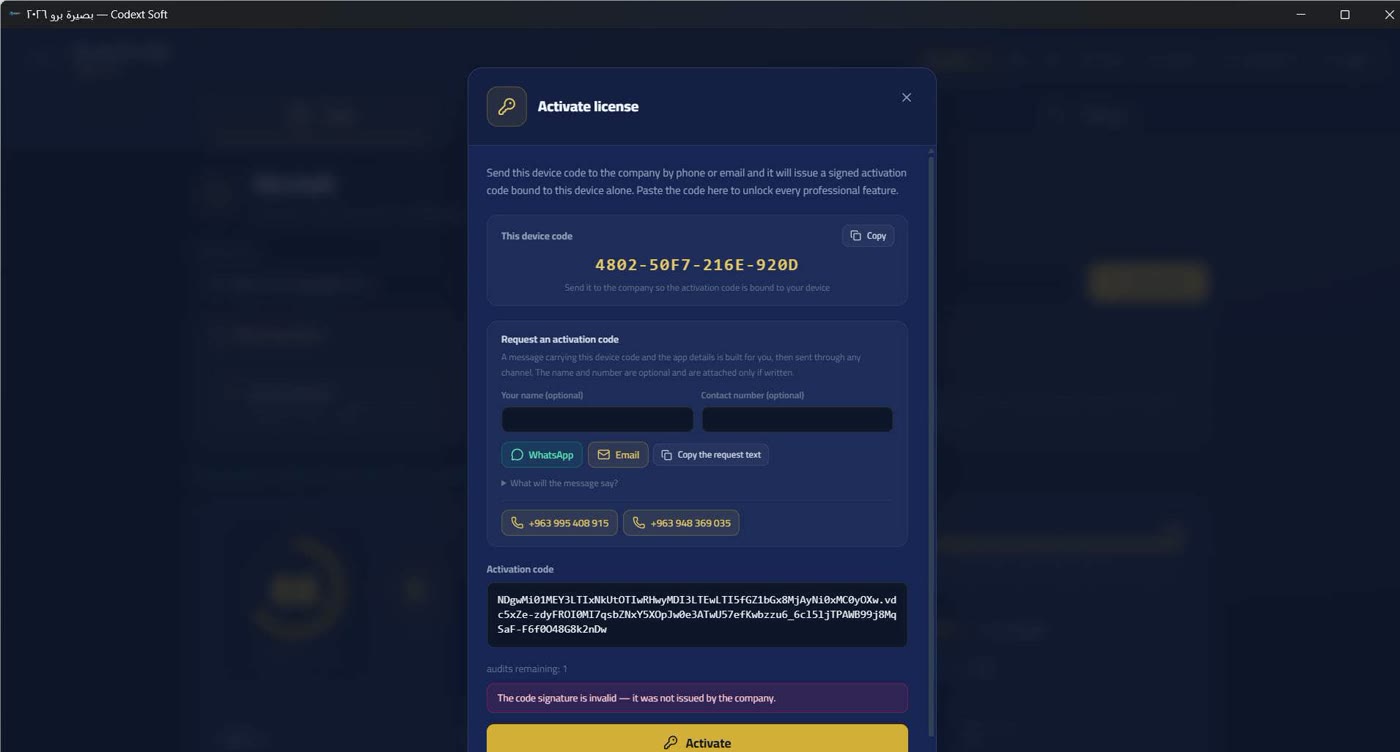
LICENSE_EXPIRED_CODE — «this code expired before it was entered». LICENSE_NO_DEVICE_IDENTITY — «this device's identity could not be read — contact the company». LICENSE_SAVE_FAILED — «the code verified but could not be saved on this device». QUOTA_EXHAUSTED — «the audit quota is exhausted — activate the licence to continue». UNKNOWN — «the code was rejected for an unexpected reason — contact the company» (Contact and support).
One fallback state — and the second way is always open
If the licence state cannot be read from the core, the audit screen shows a «could not read the licence state» card: «the licence state was not read from the core, so features are locked as a precaution until it is read. Retry, and if it repeats, contact the company», with a «retry» button. The precautionary lock is deliberate: a failed read does not mean «licensed» — otherwise a local fault would become a free key. This state has no screenshot in this release: reproducing it requires deliberately breaking the core read, so it is described in text instead of a claimed shot.
And the second way is always open: in both the quota card and the unreadable-state card — on the audit screen — sits the «audit the free sample site» button (The embedded sample site), so even someone whose quota is exhausted and who has not activated yet can see a complete report with all its features. The same button sits in the «before you start» card before any audit (The audit screen and the URL) — the second way is open in both states.